LookingGlass

Built for Salesforce revenue teams

Know who your best-fit visitors are.

LookingGlass identifies companies visiting your site, scores their intent, and helps your team move the right accounts into a reviewable CRM workflow before a form is ever submitted.

Visit LookingGlass
TLG
Identity confirmedThe Lodestone Group
Industry
Technology / Consulting
Headquarters
Springfield, MO
Employees
11-50
Signal
High intent
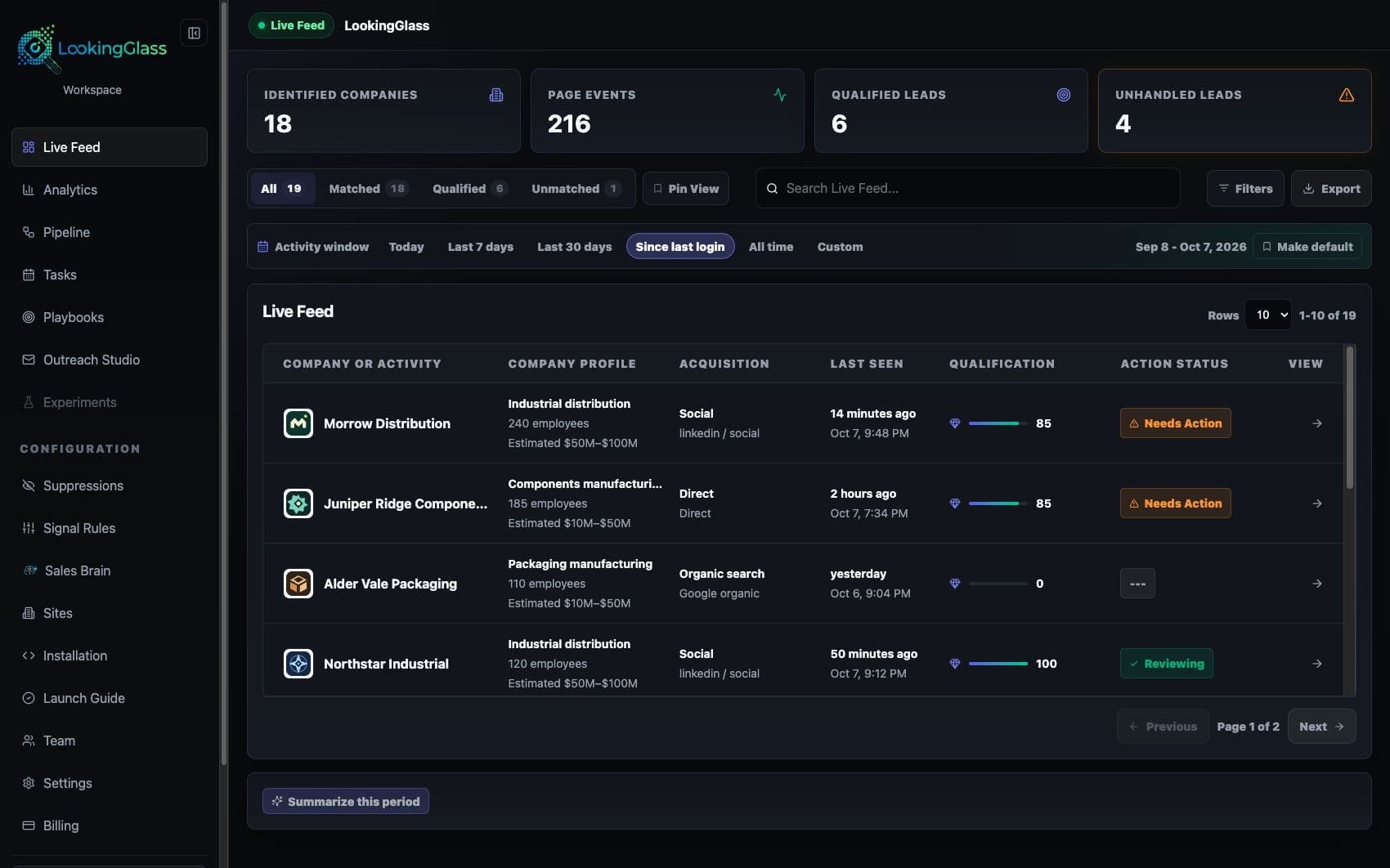
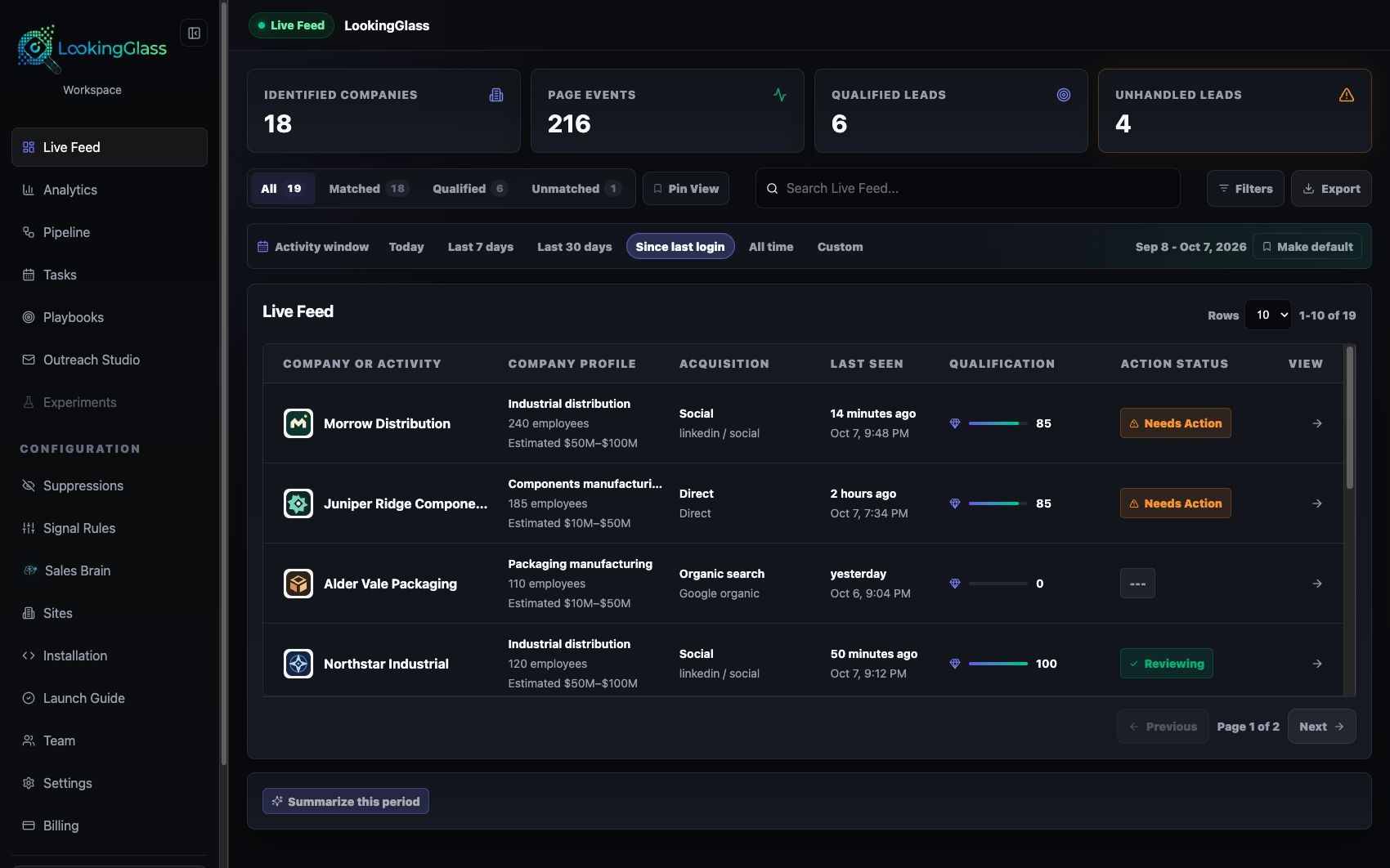
Pixel activeWorkspace dashboard
LookingGlass workspace showing live feed navigation, account signals, CRM setup, and trial progress
Built for
Revenue teams with high-consideration web traffic
Primary signals
Visitor intent, account fit, Salesforce routing
Connects to
Web pixel / Salesforce / Sheets
Evaluation path
Private demo

The brief in 60 seconds

Find the signal. Keep the evidence. Route the right action.

LookingGlass turns anonymous account activity into a clearer review path without pretending every visitor can—or should—be identified.

The operating gap

Revenue teams can see traffic volume, but they often cannot tell which accounts are showing interest or what should happen next.

Best fit

Best for B2B teams with high-consideration web traffic, Salesforce ownership, and a need for cleaner account follow-up.

Practical outcome

A more practical path from visit activity to account review, routed follow-up, and pipeline conversation.

Product tour

Built around the way your buyers actually move.

Move from anonymous activity to qualified, reviewable account context in one connected operating path.

01 / Observe

Identify account-level signals

Translate eligible visit activity into company-level context while keeping unmatched traffic visible instead of overstating coverage.

  • The pixel records eligible activity on an allowed domain.
  • Evidence remains visible for human review.
02 / Match

Prioritize meaningful visits

Combine page depth, recency, repeat activity, and account fit so teams can review the visits most likely to matter.

  • Available company and enrichment signals are checked with governed caching.
  • Evidence remains visible for human review.
03 / Review

Route context into the workflow

Send the account, pages viewed, timestamps, and supporting context into Salesforce, Sheets, or an approved review path.

  • Activity, account fit, and page context are assembled for human review.
  • Evidence remains visible for human review.
04 / Route

Learn from seller feedback

Use review outcomes to tune routing rules and reduce noisy alerts without hiding the underlying evidence.

  • Approved signals move into Salesforce or the team’s chosen follow-up path.
  • Evidence remains visible for human review.

Account signal path

From anonymous visit to reviewable account context.

The useful unit is a complete path from the first signal to an owned, explainable next step.

  1. 01

    Observe

    The pixel records eligible activity on an allowed domain.

  2. 02

    Match

    Available company and enrichment signals are checked with governed caching.

  3. 03

    Review

    Activity, account fit, and page context are assembled for human review.

  4. 04

    Route

    Approved signals move into Salesforce or the team’s chosen follow-up path.

A practical pilot

Small enough to test. Clear enough to evaluate.

Prove signal quality, operating controls, and seller usefulness with one bounded real-world path.

Implementation path
  1. 01

    Install the website pixel and confirm allowed domains.

  2. 02

    Review enrichment and cache behavior against sample traffic.

  3. 03

    Route account context into Salesforce, Sheets, or an approved workflow.

  4. 04

    Tune follow-up rules with sales and marketing owners.

Pilot scorecard

What a useful first evaluation should prove.

Signal quality

Review how often matched companies and page context are useful enough for a seller or marketer to evaluate.

Workflow adoption

Confirm the team can act from its normal workflow instead of monitoring another disconnected dashboard.

Noise control

Track which rules suppress generic traffic while preserving explainable evidence for higher-intent activity.

Buyer questions

Use the brief to qualify fit quickly.

Which accounts are already visiting our site?

Can sales act on the visit context without another dashboard?

How do we separate real buying interest from generic traffic?

Frequently asked questions

The important questions, answered plainly.

Match confidence, data expectations, and routing boundaries should be clear before a demo or pilot.

Does LookingGlass identify every website visitor?

No. It is designed to surface company-level signals when the available evidence supports a match. Unmatched and low-confidence traffic stays clearly labeled.

Does it replace our web analytics platform?

No. Web analytics explains aggregate traffic. LookingGlass focuses on reviewable account context and the workflow that follows a meaningful visit.

How does the information reach Salesforce?

The pilot defines the account fields, visit context, ownership rules, and review path before anything is routed into Salesforce or another approved destination.

What should we validate first?

Start with a representative set of high-consideration pages and confirm match quality, seller usefulness, noise controls, and routing behavior before expanding coverage.

Ready to see clearly?

Bring one real account-signal workflow.

Use the product brief to pressure-test fit, then see the live LookingGlass experience or map a bounded private pilot.

Company-level signalsHuman review retainedCRM-ready context

Request a private demo

Tell us what you want to improve with LookingGlass.